
1
Choose Liquids, Weight or Items
Start with the way the product is sold. Use Liquids for volume, Weight for pack weight, and Items for products where the number in the pack matters.
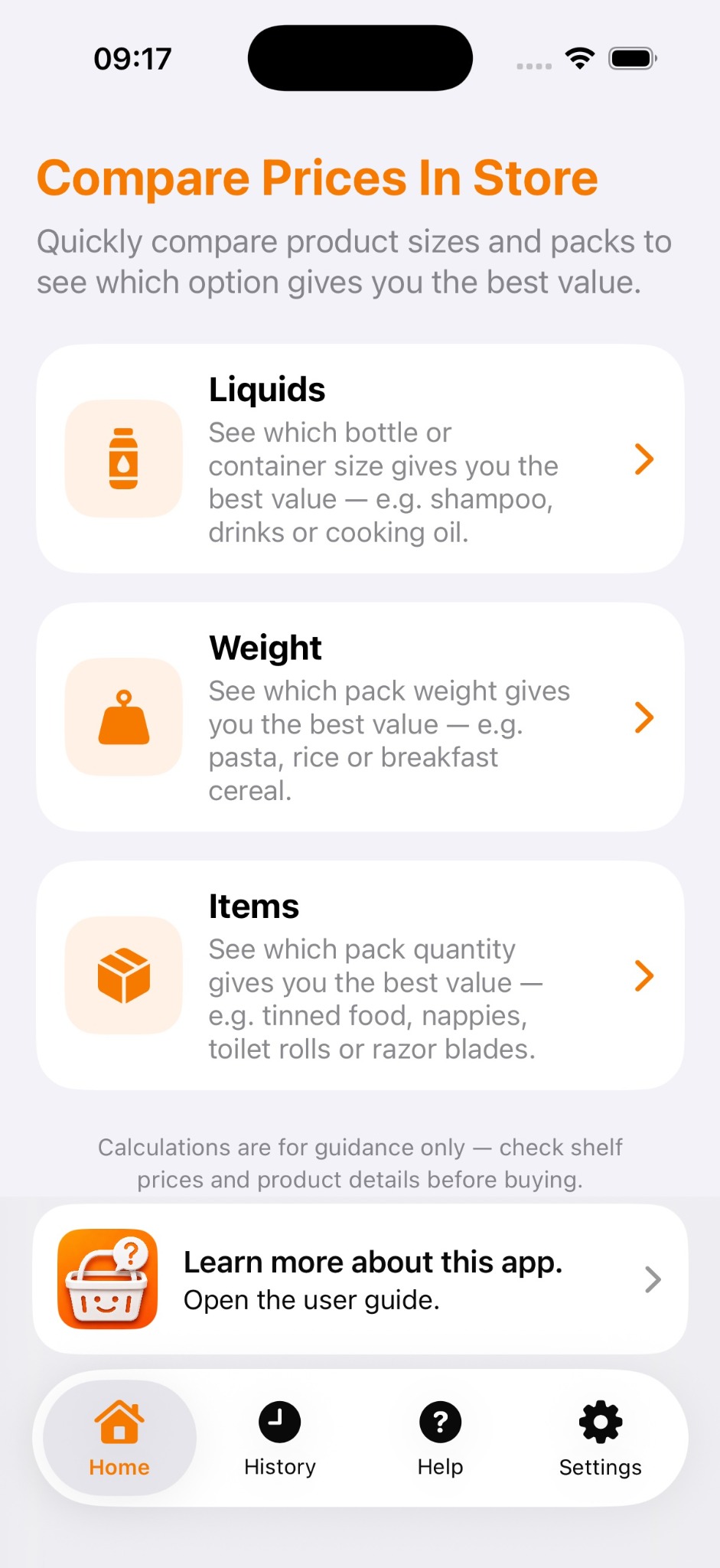
Choose what you are comparing, enter the details from the shelf, then view every option on the same basis.
Start with the way the product is sold. Use Liquids for volume, Weight for pack weight, and Items for products where the number in the pack matters.
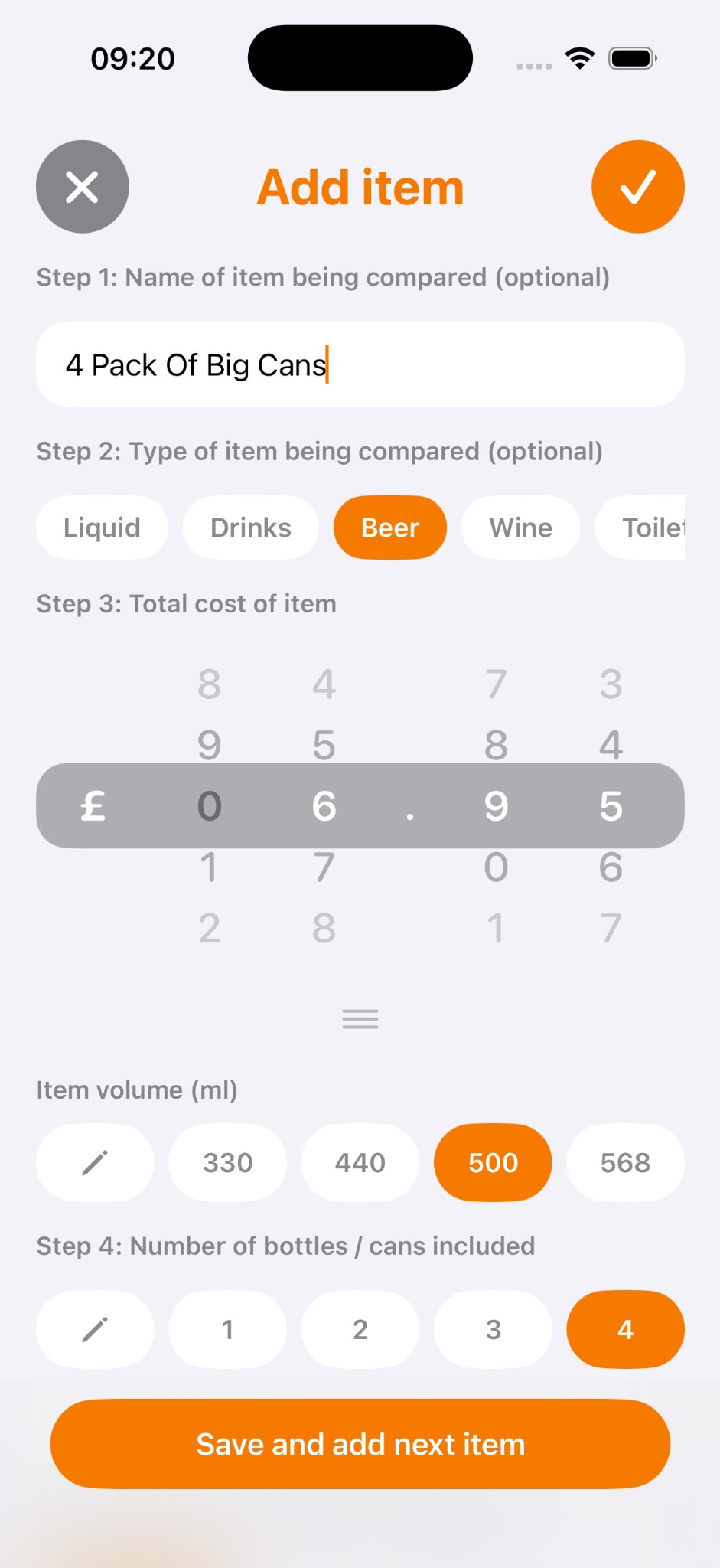
Optionally name it, choose the product type, enter the total price and select the pack size or quantity. Presets keep common values quick, while custom entry is available when needed.
Choose None, 3 for 2 or Multi-buy. For a multi-buy, enter how many products are included and the total offer price so the comparison can use the offer value.
A comparison needs two or more products. After saving the first item, add the next pack you are considering. Add further options only when they are useful.
The Compare screen shows the original pack details and a normalised price. Change the comparison amount — for example 500 ml, a UK pint or a litre — without entering the products again.
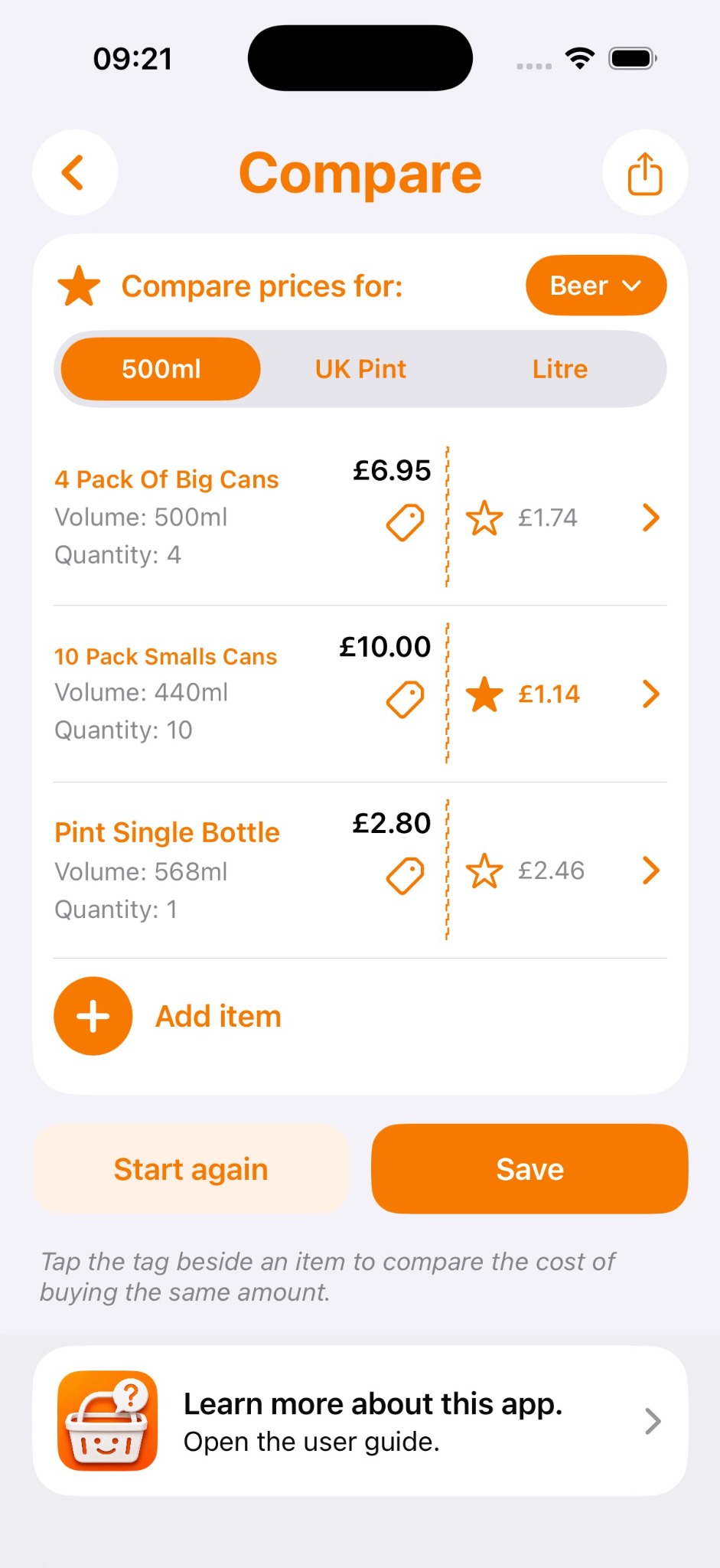
Tap the tag beside one item to make it the reference. The app then shows what the same total amount would cost if bought using the other options.
Keep an active comparison as a local draft while you shop. Save a completed comparison to History when you want to search, reopen or edit it later. Saved comparisons can sync through private iCloud when available.
The app calculates from the information you enter. Always check the shelf label, actual pack size, product quantity and retailer's offer conditions before making a purchase.
Version 1 does not rely on barcode databases, OCR or AI product recognition. The aim is a fast, predictable tool where you control the price and pack information being compared.